Maintenance is not a monthly software-update button. It is a repeatable check that customers can still complete important tasks and the business can recover when something breaks.
A maintenance plan needs five parts
A useful plan names the asset, the check, the owner, the evidence and the response. “Keep the website updated” is not enough. “Every first Tuesday, the website owner applies supported updates in staging, tests checkout and records the production release” can be followed and audited.
- AssetDomain, hosting, website, forms, email, analytics or integrations.
- CheckThe exact customer or technical behaviour to verify.
- OwnerA named person, not “marketing” or “the vendor”.
- EvidenceTest submission, screenshot, log, invoice or restore result.
- ResponseWho fixes it, how quickly and how customers are informed.
- Review dateThe next scheduled check and the last completed date.
Singapore's Personal Data Protection Commission, which administers and enforces the Personal Data Protection Act, advises SMEs to consider security, maintenance, resilience, outsourcing and personal-data handling when building and operating websites.[1] Those concerns belong in the operating plan, not in a folder forgotten after launch.
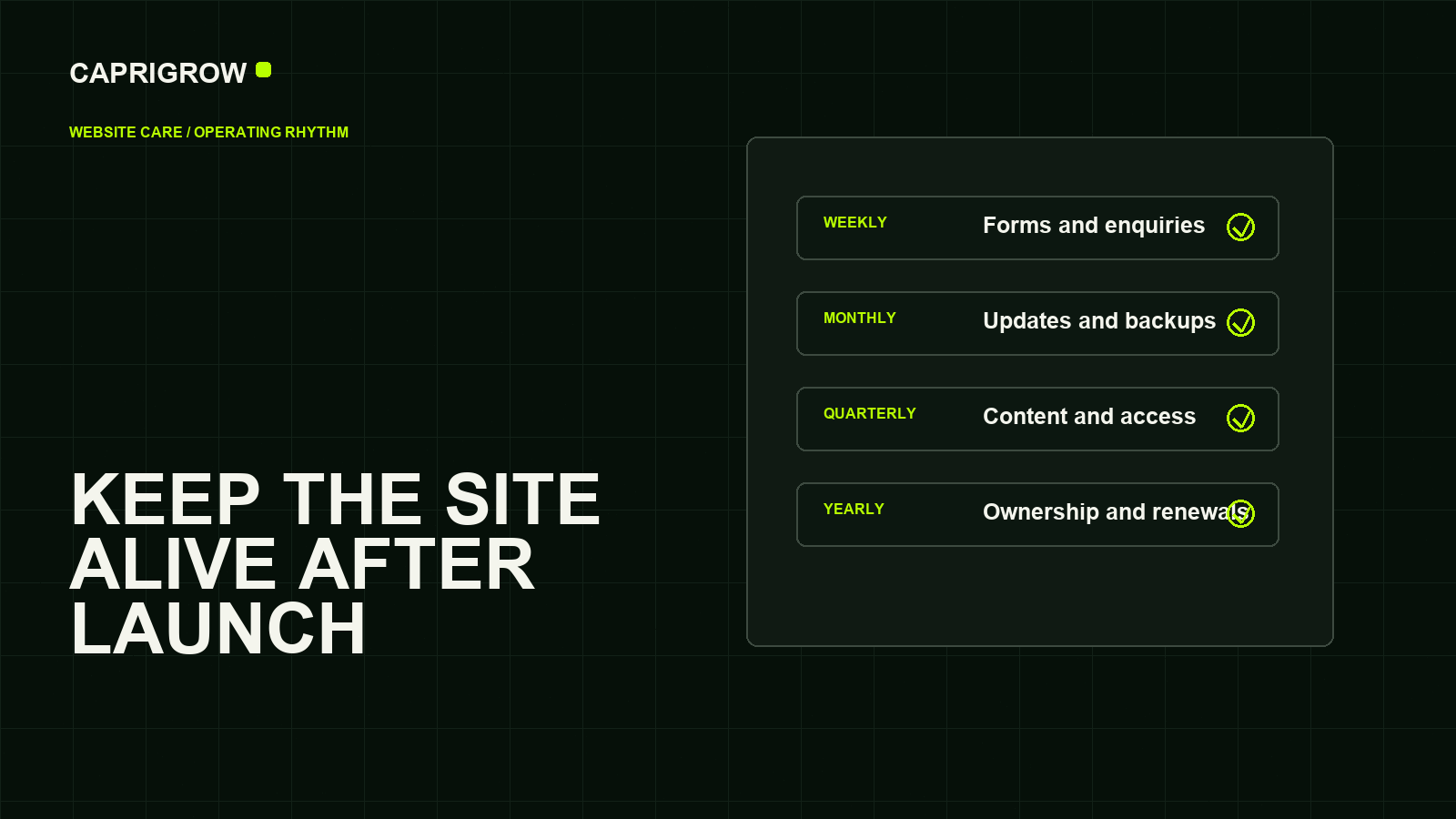
What to check, and how often
Fast-moving customer failures deserve the shortest loop
Forms, booking, checkout, contact details, urgent notices and delivery to the correct inbox.
Supported updates, backup evidence, restore readiness, broken paths, search errors and speed.
Service accuracy, user permissions, abandoned pages, analytics needs and accessibility checks.
Domains, renewals, licences, supplier access, policies, recovery contacts and continuity plan.
Every week: complete the real customer path
- Send a genuine enquiry through every important form and confirm it reaches the right person
- Complete a test booking or checkout without charging a real customer
- Open the website on a phone and follow the main action from the home page
- Check opening hours, prices, stock, notices and time-sensitive offers
- Review outage and error alerts instead of assuming silence means success
A visual check is insufficient. A form can look perfect while mail authentication, a spam filter or an integration prevents delivery. Keep a test record with the page, time, receiving inbox and result.
Every month: update and prove recovery
Apply supported software, theme and plugin updates through a controlled process. WordPress's official guidance recommends backing up before updating and keeping the platform current.[2] The principle also applies outside WordPress: know what changed, test the customer path and retain a route back.
Confirm that a recent backup includes both files and data, is stored away from the live site and is usable. The United Kingdom's National Cyber Security Centre explains that backups should be tested, separated and protected from destructive access.[3] A dashboard saying “backup complete” is evidence of a job, not evidence of a successful restoration.
Review important pages in Search Console, broken links, large new media and Core Web Vitals. Google's web.dev documentation defines Core Web Vitals around loading, responsiveness and visual stability.[4] Use those measurements to find changed templates, then test the page as a person would.
Every quarter: review content, people and permissions
Check the top service, product and location pages against the current business. Remove outdated staff, terms and claims. Review administrator access, delete accounts that no longer need entry and turn on multi-factor authentication where the service supports it.
Sample keyboard navigation, headings, labels, contrast and zoom. The Web Content Accessibility Guidelines 2.2 are the W3C's international accessibility standard.[5] An automated scanner is useful for repeatable signals, but the W3C notes that evaluation combines tools with human judgement.[6]
Every year: verify business ownership
Confirm that the domain, hosting, website, email, analytics, payment and software accounts are controlled by the business. Record renewal dates, billing owners, recovery channels and critical licences. Test the continuity plan before the only administrator leaves or a supplier becomes unavailable.
The register should state who controls an account and where approved credentials or recovery codes are securely held. It should not expose secrets in a shared document.
Decide what happens when a check fails
| Finding | Business effect | First response |
|---|---|---|
| Checkout, booking or lead form fails | Customers cannot complete the main action | Escalate immediately, provide an alternative contact route and preserve error evidence. |
| Site or domain unavailable | The whole business presence may disappear | Check domain, DNS and hosting status; contact the accountable supplier. |
| Suspicious account or data activity | Potential security or privacy incident | Restrict access, preserve logs and follow the business's incident and notification process. |
| One outdated page or broken secondary link | Limited confusion or dead end | Record, correct and retest within the normal maintenance window. |
| Performance regression | Slower or unstable customer experience | Identify the recent change, compare page templates and remove or optimise the cause. |
Not every problem needs the same urgency. Define severity from customer and business effect, not from how technical the error sounds.
Keep control when suppliers change
A supplier can manage an account without owning it. The business should remain the registrant or primary administrator wherever possible, with suppliers invited through appropriate roles. Keep a handover list covering domain registrar, DNS, hosting, source files, content system, email, analytics, advertising, consent tools, payment providers and licences.
When a staff member or supplier leaves, remove access promptly, rotate shared credentials that cannot yet be eliminated, change recovery contacts and confirm scheduled jobs still run. For sites that process personal data, review what the supplier can access and whether that access remains necessary.
Use a maintenance record that proves the work
A spreadsheet or ticket system is enough. Include the date, asset, check, result, evidence link, action, owner and due date. Keep release notes for significant changes. The record makes repeated failures visible and stops the business paying several times for the same symptom.
Submit the consultation form from an Android phone.
Submission ID 1842; no message reached sales@ after ten minutes.
Use the published phone number while mail delivery is repaired.
Fix deployed, retested on two devices and receiving owner confirmed.
What a paid website care plan should say
Compare plans by tasks and response, not by the word “maintenance.” Ask which pages and systems are covered, how often customer paths are tested, whether backups are restored, where changes are tested, who approves content, what happens outside office hours and how the supplier reports completed work.
- Scope: exact websites, forms, integrations and environments covered
- Cadence: scheduled checks and update windows
- Response: severity definitions and target acknowledgement times
- Recovery: backup location, retention and restoration testing
- Change allowance: what content work is included and what costs extra
- Ownership: who controls accounts, licences, code and handover material
- Evidence: report format, test records and release notes
If the same structural problems keep returning, maintenance may be preserving the wrong foundation. Use the repair, redesign or rebuild guide to choose the next intervention.
References and method
This schedule is an editorial operating model based on the sources below. It is not legal, cybersecurity or incident-response advice. Regulated and high-risk services should obtain advice appropriate to their systems and obligations.
- Personal Data Protection Commission Singapore: Guide on Building Websites for SMEs. Security, maintenance, outsourcing and data handling. ←
- WordPress: Updating WordPress. Supported updates and backup preparation. ←
- UK National Cyber Security Centre: Backing up your data. Backup separation and restore testing. ←
- web.dev: Web Vitals. User-centred performance measures. ←
- W3C: Web Content Accessibility Guidelines 2.2. Accessibility standard. ←
- W3C Web Accessibility Initiative: Evaluating web accessibility overview. Tools and human evaluation. ←
- Google Search Central: Get started with Search Console. Search monitoring and issue investigation.