“The website feels old” is a symptom, not a project brief. The right decision starts with what customers cannot do, what staff cannot maintain and whether the current system can support a tested fix.
Diagnose the failure in business language
Write each concern as an observable event. “The site is bad” becomes “mobile visitors abandon the booking form at the date picker.” “We need a modern design” becomes “new customers cannot tell which service fits them.” “SEO is poor” becomes “the important service pages are missing, duplicated or no longer indexed.”
Collect the same four types of evidence for every concern:
- Customer taskWhat a visitor tries to understand or complete.
- FailureWhere the task becomes slow, confusing or impossible.
- SpreadOne component, one template or the whole site.
- CauseContent, design, code, platform, process or ownership.
- Value at riskLeads, sales, trust, staff time or search visibility.
- Success testThe observable result that would prove the fix worked.
Use analytics and search data as clues, then complete the task yourself on a phone and desktop. Google's Search Console can show indexing and search performance, while PageSpeed Insights combines laboratory and real-user performance data where available.[1][2] Neither can tell whether a customer understands the offer.
What each option actually changes
Repair: correct a bounded failure
Repair fits when the current page structure and platform remain supportable, and the problem is limited. Examples include a broken form, oversized images, a missing service page, confusing button copy, incorrect metadata, inaccessible colour contrast or a third-party script that slows one template.
A repair should have a narrow before-and-after test. If the work expands every time a developer touches the site, the apparent fault may be evidence of a deeper structural problem.
Redesign: improve communication on a sound system
A redesign changes navigation, page hierarchy, layouts, components and visual presentation while retaining much of the existing platform and content structure. It fits when staff can maintain the site, key integrations work and page addresses are broadly sensible, but customers struggle to understand or trust the offer.
Judge a redesign with tasks: can a new visitor identify the business, choose a service, find evidence and take the next step? WCAG 2.2, the W3C accessibility standard, provides testable requirements for keyboard use, contrast, labels, zoom and other access needs.[3]
Rebuild: replace a limiting foundation
A rebuild becomes credible when several templates share the same failures, essential software is unsupported, the content model no longer represents the business, changes are consistently risky, required languages or transactions cannot be added, or account and deployment control cannot be restored.
Rebuild does not mean “throw everything away.” Valuable content, page addresses, links, customer journeys, tracking and accessibility discoveries are assets to migrate.
Use two questions to choose the intervention
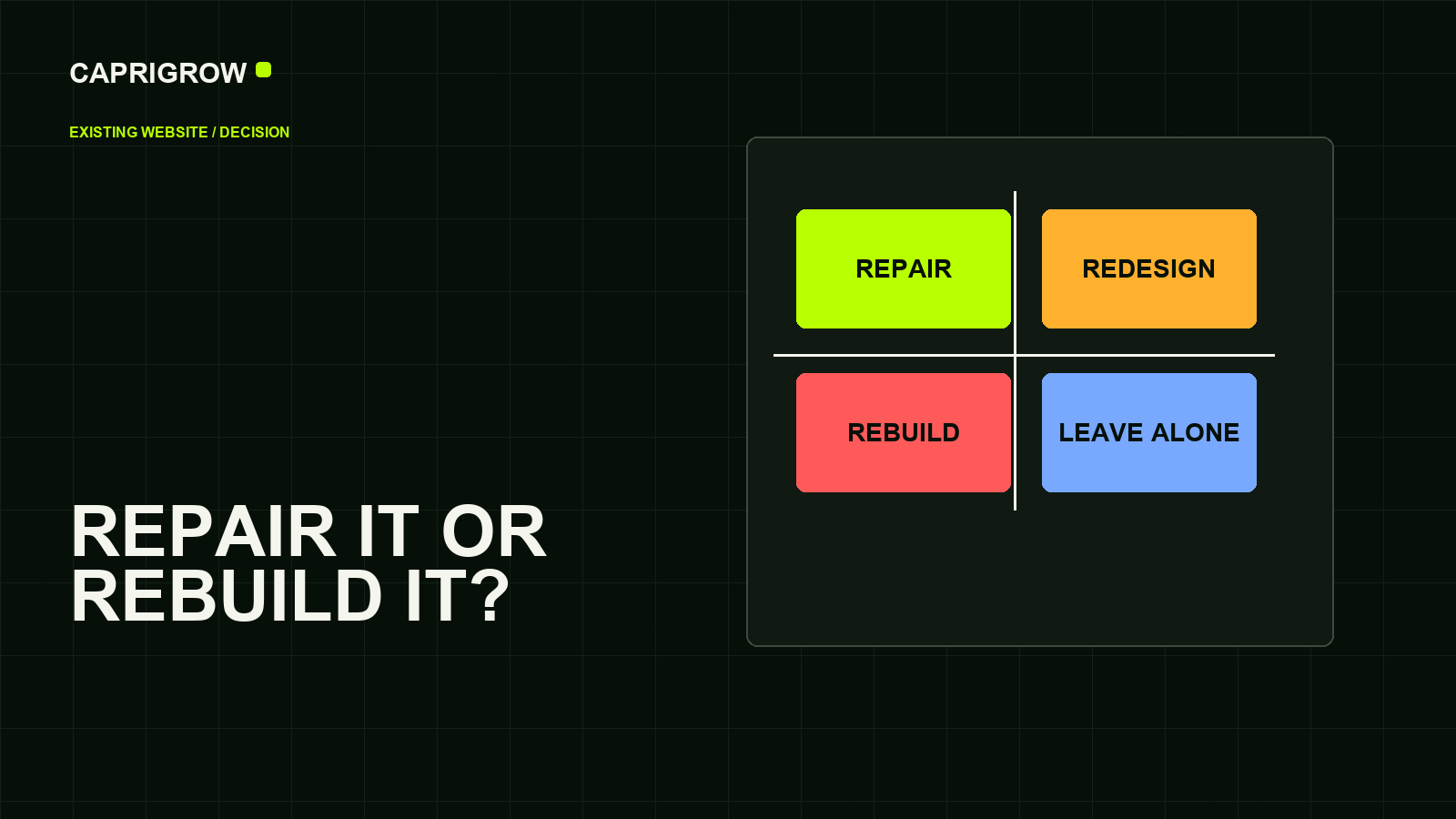
How widespread is the problem, and can the foundation support change?
Correct the limited fault and verify the affected customer path.
Improve communication and interaction while keeping the maintainable system.
Repair urgent failures and test a replacement before committing.
Replace the structure when repeated limits block several business needs.
| Evidence | Repair | Redesign | Rebuild |
|---|---|---|---|
| Problem spread | One feature or page | Navigation and presentation across pages | Repeated limits across templates or systems |
| Platform condition | Supported and maintainable | Supported and maintainable | Unsupported, constrained or risky |
| Page addresses | Usually unchanged | Mostly unchanged | May change; migration plan required |
| Main risk | Treating a symptom only | Changing appearance without clarity | Losing working content, links and journeys |
| Proof of success | Fault no longer occurs | Customers complete tasks more easily | New system supports present and planned needs |
Collect evidence before asking for quotes
Export or record the assets a supplier will need to protect: top landing pages, search queries, conversions, working forms, integrations, analytics events, content inventory, domain and hosting details, administrator roles and renewal ownership.
Ask staff to list recurring frustrations and the time each one costs. Ask recent customers what they were trying to find and what made them hesitate. Sample critical pages at common mobile widths, 200% zoom and keyboard-only navigation. The W3C's evaluation guidance explains that automated tools support accessibility review but cannot replace human judgement.[4]
A screenshot can reveal hierarchy and alignment. It cannot prove that a form delivers, a menu works with a keyboard, a page is indexed or staff can update the system safely.
For performance, compare page templates rather than testing only the home page. Core Web Vitals focus on loading, responsiveness and visual stability, and field data represents actual user experiences where sufficient data exists.[5]
Protect what already works during a rebuild
Google's official site-move guidance recommends mapping old URLs to new ones, using permanent server-side redirects, updating internal links and monitoring the move.[6] Do not redirect every removed page to the home page. Send each valuable old address to the closest useful replacement, and retain pages that still serve a real purpose.
Before launch, crawl the old and new sites. After launch, check redirects, canonical links, robots rules, sitemaps, analytics, forms, consent, payments and email delivery. Google's canonical guidance explains that redirects and `rel="canonical"` are strong signals, while sitemap inclusion is weaker.[7]
Keep the old site and data in a controlled rollback or archive plan. A migration is not complete when the new home page appears; it is complete when important customer journeys, tracking and page transitions have been verified on the live domain.
Turn the diagnosis into a quote-ready brief
- Business change: what changed in the company, audience or offer
- Priority tasks: what customers must understand and complete
- Current evidence: where those tasks fail and how often
- Required capabilities: content, languages, integrations, transactions and staff roles
- Content plan: what stays, changes, merges or retires
- Migration plan: URLs, redirects, search data and launch monitoring
- Acceptance tests: exact behaviours that must pass before launch
- Ownership: who controls domain, hosting, accounts, code and licences
- Care: post-launch warranty, maintenance and incident response
- Budget boundaries: must-haves, later phases and excluded work
Ask each supplier to state which option they recommend and which evidence supports it. A larger project should not win merely because it has a larger invoice. Compare the resulting scope with the Singapore website price study, then define ongoing responsibilities using the maintenance checklist.
Write down three observable failures, test them on real devices, and ask whether each is isolated or repeated. That answer is more useful than beginning with “we need a new website.”
References and method
The decision matrix is Caprigrow's editorial model. It is constrained by official search, accessibility and performance guidance but does not replace technical discovery or user research.
- Google Search Central: Get started with Search Console. Search and indexing evidence. ←
- Google Developers: About PageSpeed Insights. Lab and field performance data. ←
- W3C: Web Content Accessibility Guidelines 2.2. Testable accessibility requirements. ←
- W3C Web Accessibility Initiative: Evaluating web accessibility overview. Tool and human evaluation. ←
- web.dev: Web Vitals. User-centred performance measures. ←
- Google Search Central: Site moves with URL changes. Migration planning and monitoring. ←
- Google Search Central: Canonical URLs. Redirect, canonical and sitemap signals. ←