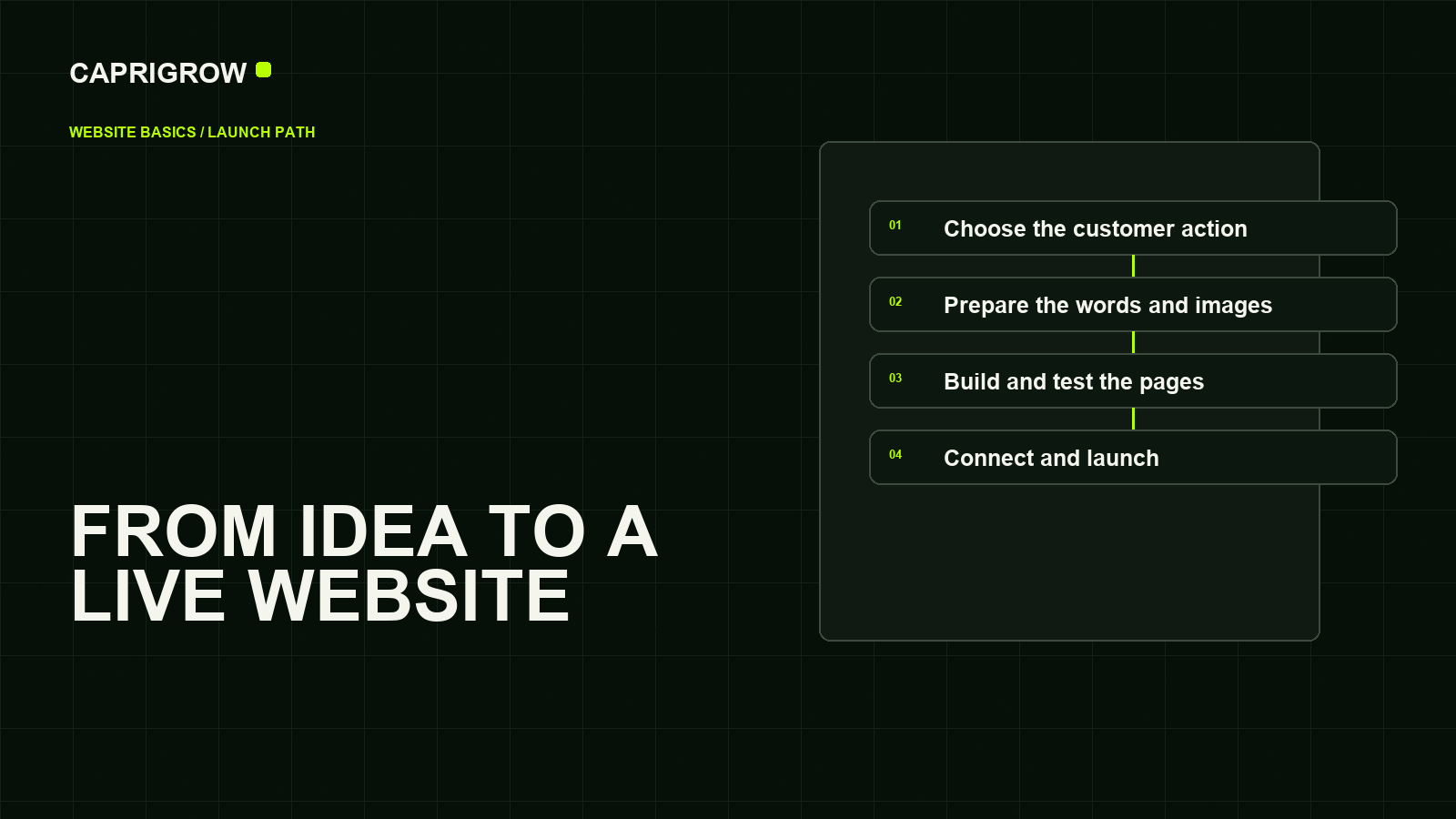
A website is a place on the internet where people can understand your business and take a useful next step: call, book, visit, ask for a quote or buy.
The one-minute answer
To start a website, decide what you want visitors to do, choose a website address, choose how the site will be built, prepare the essential words and images, connect the address, test everything, and publish it. Then keep it accurate and working.
- Decide Choose the visitor's next step
- Name Register the website address
- Build Add pages, words and images
- Connect Point the address to the site
- Test Check phones, forms and speed
- Care Keep it secure and accurate
You do not need to become a web developer. You do need to make a few business decisions. The technology should support those decisions, not become the project.
Your street address. It tells people where to find you.
The land and utilities. It keeps the website available.
The building. Layout, words, images, forms and payments make it useful.
The signpost system. It points the address to the right host.
Property care. Updates, backups and repairs keep it trustworthy.
The parts you actually need
1. A purpose
Start with one sentence: “When someone visits, I want them to _____.” A dental clinic might choose “book an appointment.” A consultant might choose “request a call.” An online shop might choose “buy a product.”
This sentence is more useful than starting with colors or page animations. It decides what belongs on the home page and what the main button should say.
2. A domain name
A domain is the memorable address people type, such as yourbusiness.com. You register the right to use it through a domain registrar and renew it, usually each year. ICANN, the nonprofit organization that coordinates the global domain-name system, accredits many registrars but does not sell domains directly.[1]
- Prefer a short name people can say and spell.
- Avoid hyphens and unusual spelling unless they are part of the established brand.
- Check the renewal price, not only the first-year promotion.
- Turn on multi-factor authentication and renewal reminders.
- Keep the domain in an account the business controls, even if a supplier helps manage it.
3. Hosting
Hosting stores the website files and sends them to visitors. With builders such as Wix, Squarespace, Webflow or Shopify, hosting is normally part of the service. With self-hosted WordPress or custom code, hosting may be a separate choice.
Do not confuse hosting with business email. Your website can live with one provider while email such as hello@yourbusiness.com is handled by another.
4. A way to build and update the site
This may be a visual website builder, a content management system (CMS), an ecommerce platform, custom code, or a managed service where a team handles the technical work. The best option is the one that matches the job and the amount of maintenance you are willing to own.
5. Real content
Visitors need clear answers: what you offer, who it is for, why they should trust you, where you operate, and what to do next. Real photographs usually build more trust than unrelated stock images. If you cannot collect everything before launch, begin with the few pages that answer those questions honestly.
Choose the right building route
A platform is good when it fits your business, skills, budget and maintenance appetite. A popular tool can still be the wrong tool for your job.
| Route | Good for | You will manage | Watch for |
|---|---|---|---|
| Managed website service | Owners who want to describe the outcome and have a team handle setup and care | Approvals, business facts, account permissions | Know what is included, who controls accounts, and how changes are requested |
|
Website builder
Wix, Squarespace, Webflow |
Simple business sites, portfolios and teams comfortable with visual editors | Template, content, settings and ongoing edits | Plan limits, portability, app costs and learning curve |
| WordPress | Content-heavy sites that need a broad plugin and theme ecosystem | Hosting, themes, plugins, updates, backups and security unless managed | Plugin quality, compatibility and accumulated maintenance |
|
Ecommerce platform
Shopify and similar tools |
Businesses primarily selling products online | Products, inventory, payments, shipping, policies and theme | Transaction costs, apps, checkout requirements and product operations |
| Custom-coded website | Unusual functionality or performance needs that standard tools cannot meet | A development process, hosting and long-term engineering support | Higher build and maintenance responsibility |

A quick decision test
- If the website is mainly information and enquiries, a builder or managed service may be enough.
- If products, stock, delivery and checkout are central, start with an ecommerce platform.
- If you publish large amounts of structured content, compare CMS options carefully.
- If your process is genuinely unusual, describe the required behavior before choosing custom development.
- If you do not want to maintain technology, include ongoing care in the buying decision.
Plan before you design
Write a tiny brief
You can plan a useful first version on one page. Answer:
- What does the business do?
- Who is the ideal customer?
- What problem brings that customer here?
- What should the customer do next?
- What proof can the business honestly show?
- What practical facts must be easy to find?
Choose the minimum useful pages
A local service business can often begin with Home, Services, About, Contact, and the required privacy or legal information. A clinic may add treatments, practitioner information and booking details. A shop needs product, collection, cart, checkout, delivery and returns information.
Every page should have one job. A Services page explains what can be bought. An About page reduces uncertainty about the people or company. A Contact page makes the next step easy. If two pages do the same job, combine them.
Collect content in the order customers need it
People usually want the answer before the backstory. Lead with the service and outcome. Follow with how it works, proof, common questions and the next action. Write headings that still make sense when skimmed on a phone.
Build for real visitors
Use real words early
A polished layout filled with placeholder text is not nearly finished. Real service names, prices where appropriate, opening hours, delivery areas, policies and photographs change the design. Put them in before judging whether the design works.
Make mobile a first-class version
Do not treat a phone layout as the desktop site squeezed smaller. Buttons need room for a thumb. Text must be readable without zooming. Forms should ask only for information you need. Important actions should remain visible without covering content.
Build accessibility into the work
- Use one clear page title and meaningful section headings.
- Give informative images useful alternative text.
- Keep text and controls readable against their backgrounds.
- Make links and buttons usable with a keyboard.
- Label every form field and explain errors clearly.
- Do not rely on color alone to communicate meaning.
Prepare basic search foundations
Give every important page a descriptive title and summary, use understandable URLs, link related pages, keep important information in text, and submit a sitemap through Google Search Console. Search optimization cannot rescue an unhelpful website, but it can help search systems find and understand a helpful one.
Launch properly
Publishing is a checkpoint, not the finish line. Before announcing the site, test the actual live address.

- Open every page on a phone and a desktop.
- Submit every form and confirm where the message arrives.
- Check calls, email links, maps, bookings, payments and downloads.
- Confirm the domain uses HTTPS and does not show security warnings.
- Check page titles, descriptions, social sharing images and favicon.
- Make sure private drafts and test pages are not being indexed.
- Add analytics only with an appropriate privacy and consent approach.
- Verify the domain in Search Console and submit the sitemap.
- Record who owns the domain, hosting, email and connected accounts.
- Create a backup and a simple plan for future changes.
What determines the cost?
Website cost is not one number. It combines the domain, platform or hosting, design and build work, content and photography, special functions, integrations, legal requirements, maintenance and marketing. A low starting price can become expensive if required features sit behind extra plans or apps. Compare the total first-year and renewal responsibilities, not only the advertised entry price.
A relatable example: Stillwater Dental
The owner says: “I need a professional website that helps nervous patients understand our clinic and book an appointment.”
That sentence suggests a clear website:
- Goal: appointment enquiries.
- Audience: local patients, especially people anxious about dental care.
- Core pages: Home, Treatments, About the Team, New Patients, Contact and Booking.
- Trust: real clinic photography, practitioner credentials, practical answers and transparent contact details.
- Main action: Book an appointment.
- Search basics: clear treatment pages, accurate location details and an up-to-date Business Profile.
- Ongoing care: update opening hours, practitioners, services and patient information as they change.
Notice what did not come first: animation, a trendy color, or a list of technical features. Those choices follow the customer journey.
Your starting checklist
- Finish the sentence: “When someone visits, I want them to _____.”
- Choose a short domain and secure the account properly.
- Select a building route based on the job and maintenance you will own.
- List the minimum pages a customer actually needs.
- Collect accurate business facts and real visual material.
- Write the essential answers before polishing the design.
- Test accessibility, phones, forms and important actions.
- Connect the domain, HTTPS, analytics and search tools carefully.
- Record account ownership and renewal details.
- Schedule regular reviews after launch.
Do not begin by comparing fifty templates. Write your one-sentence goal and the five questions customers ask most often. That gives any builder, designer or managed team something real to build.
References and method
This is an editorial synthesis of official guidance, not a ranking of website platforms. Product examples illustrate different ownership and maintenance models; their features can change.
- ICANN. About Domain Names. Used to explain domains, registrars and renewals. ←
- ICANN: Beginner's Guides
- Google Search Central: SEO Starter Guide
- Google Search Central: Creating Helpful, Reliable, People-First Content
- WordPress.org: Site Editor documentation
- Google PageSpeed Insights
- Webflow: Web Design for Beginners
- Shopify: How to Build a Website